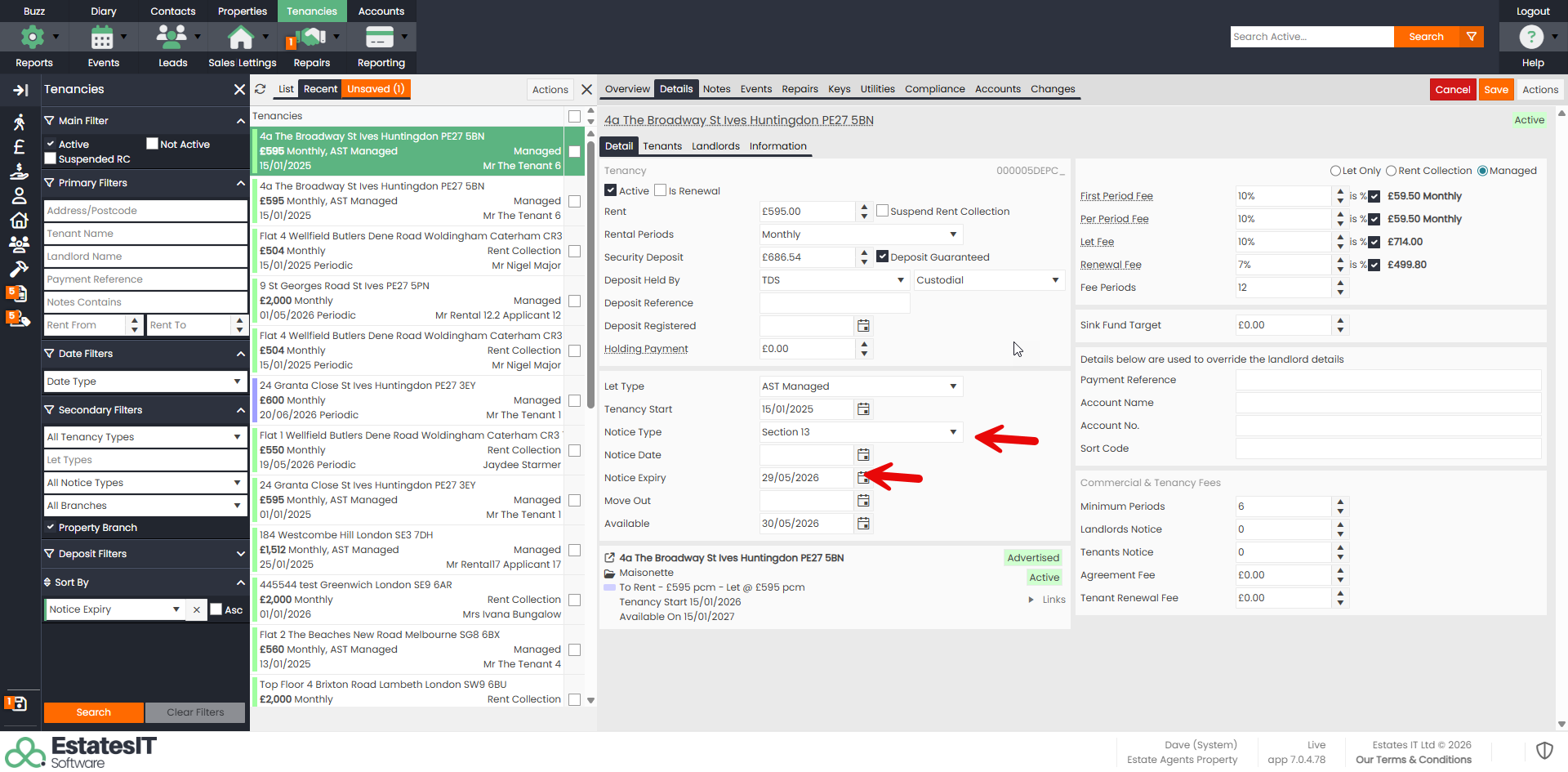
Step 1 : Once you know the new proposed rent date, change the Notice Expiry date to the day before the agreed new rent date & select Section 13 in the Notice Type.
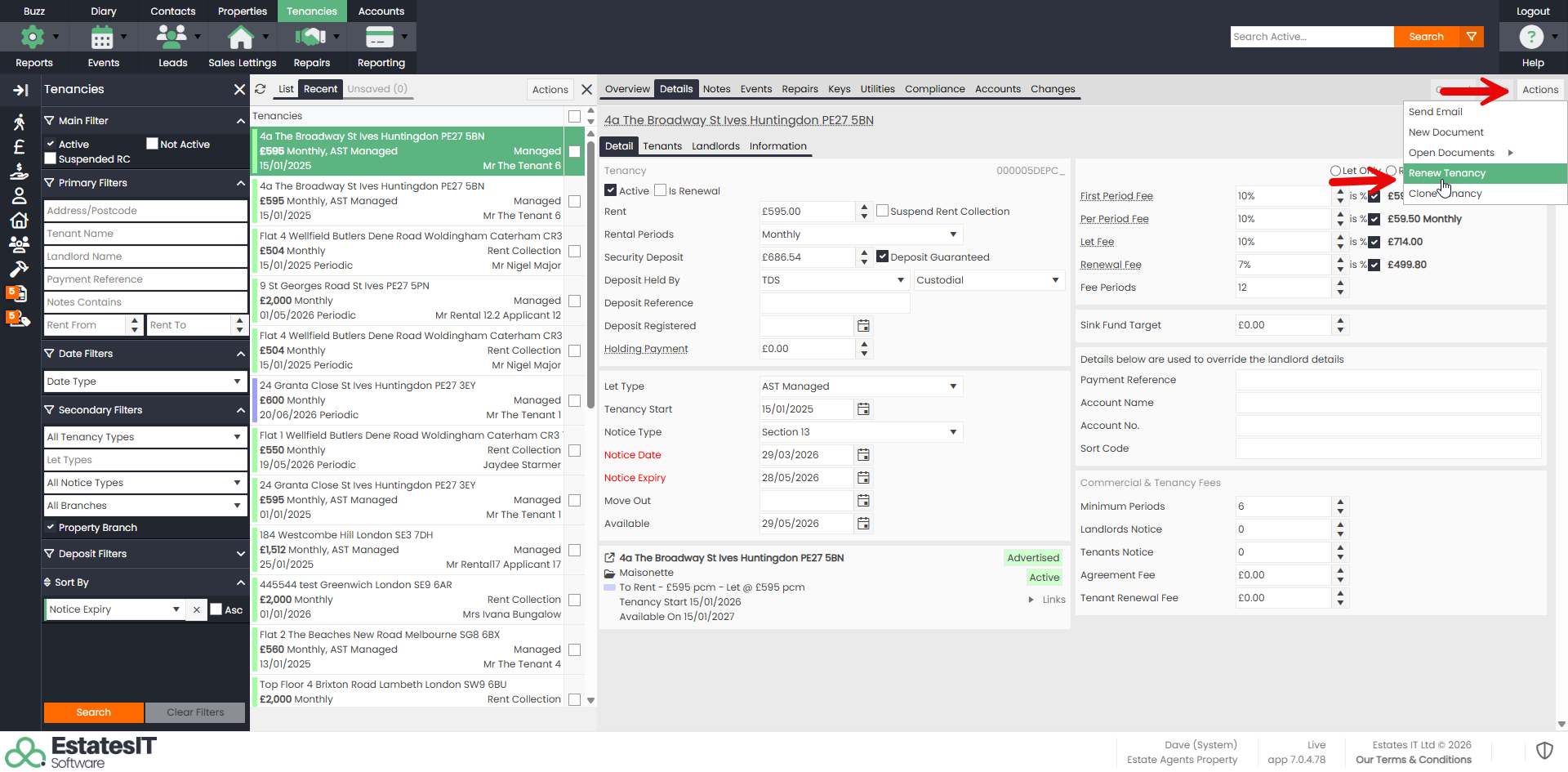
Step 2 : Click on the Actions button, then Renew Tenancy.
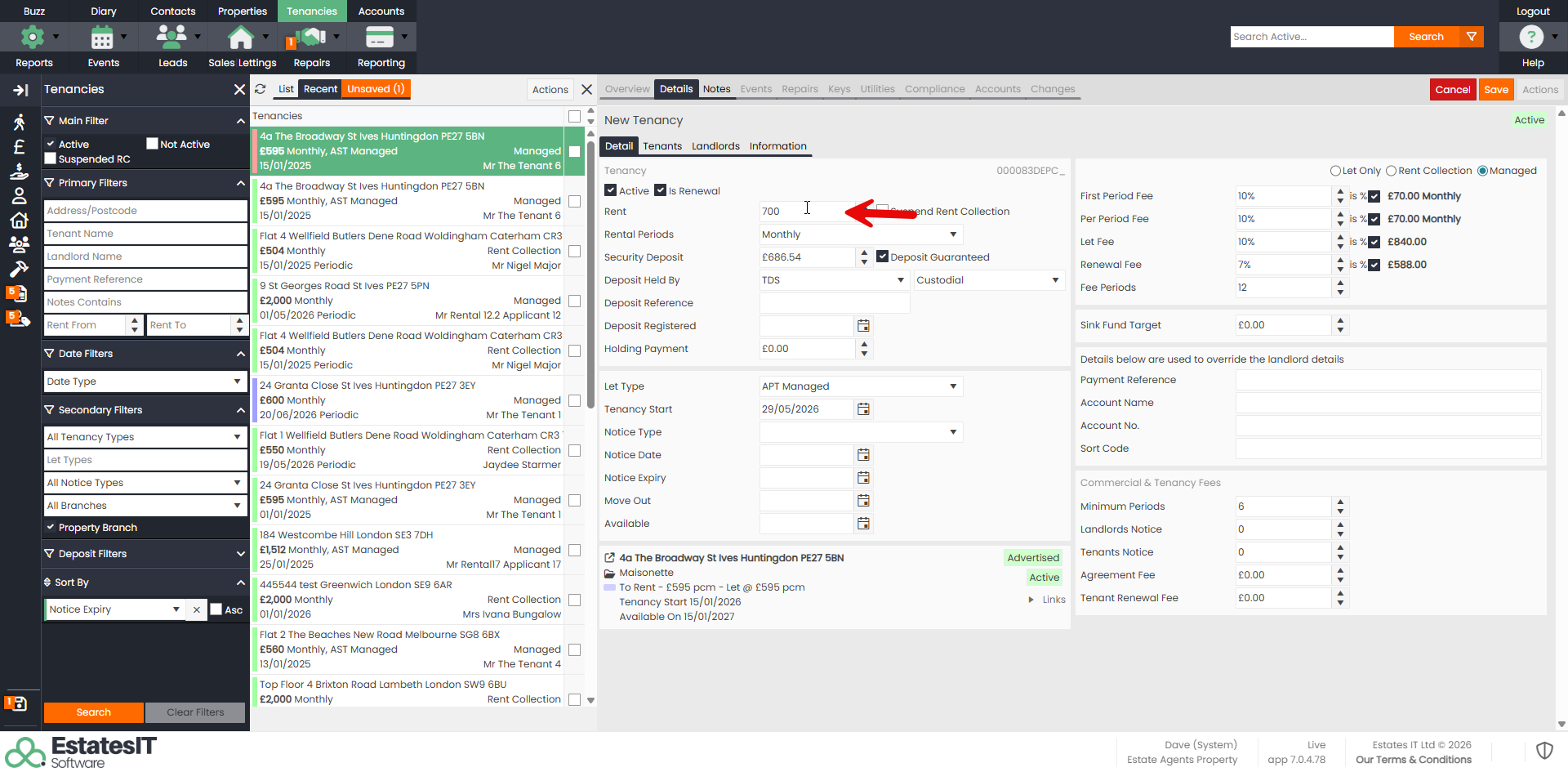
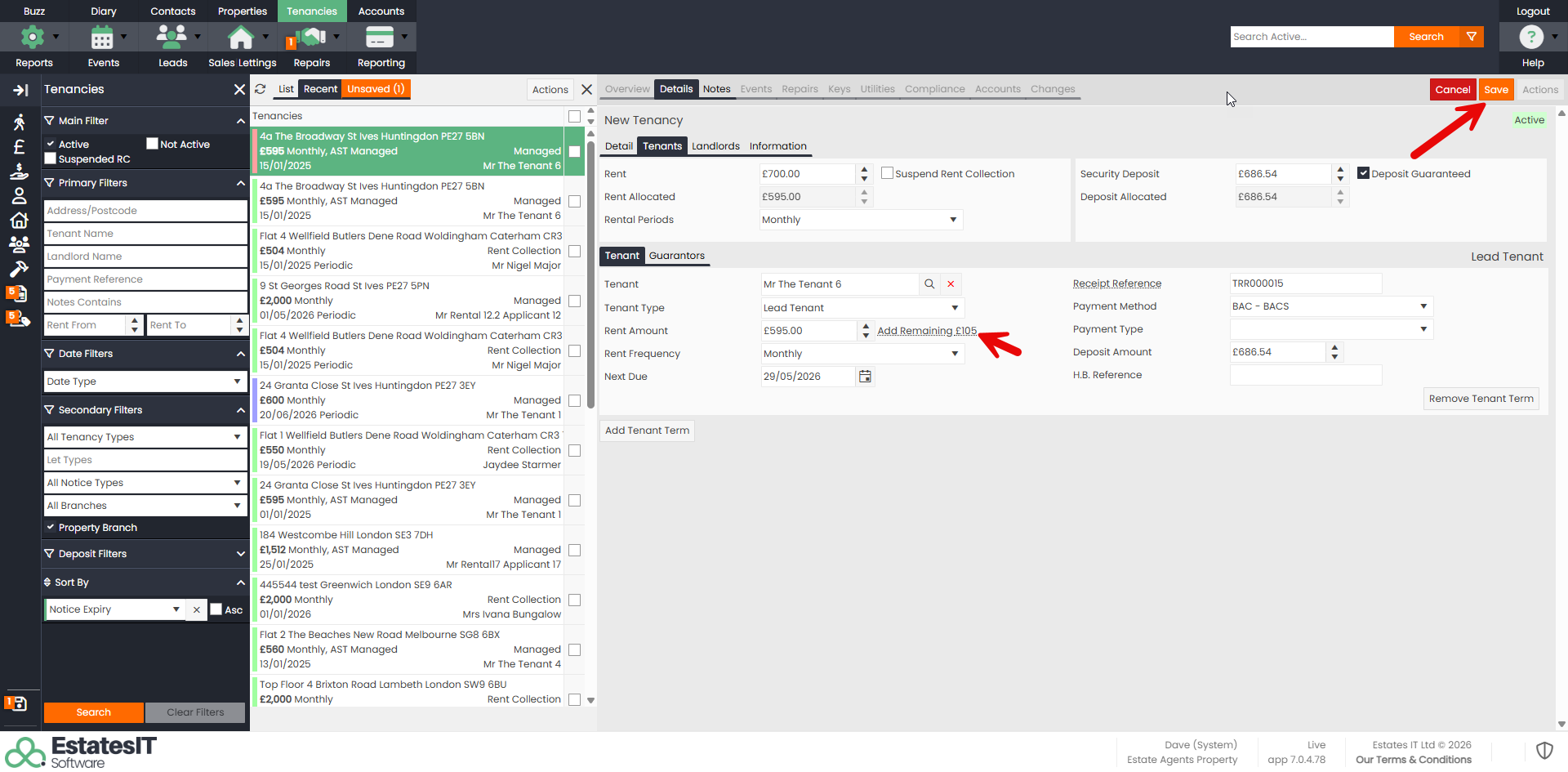
Step 3 : Go to Details, then Details Tab and put the new amount of rent into the Rent Field.
Step 4 : Go to the Tenants tab, then Tenant and click on the "Add Remaining" link to apply the new rent.
Step 5 : Press the Save button.
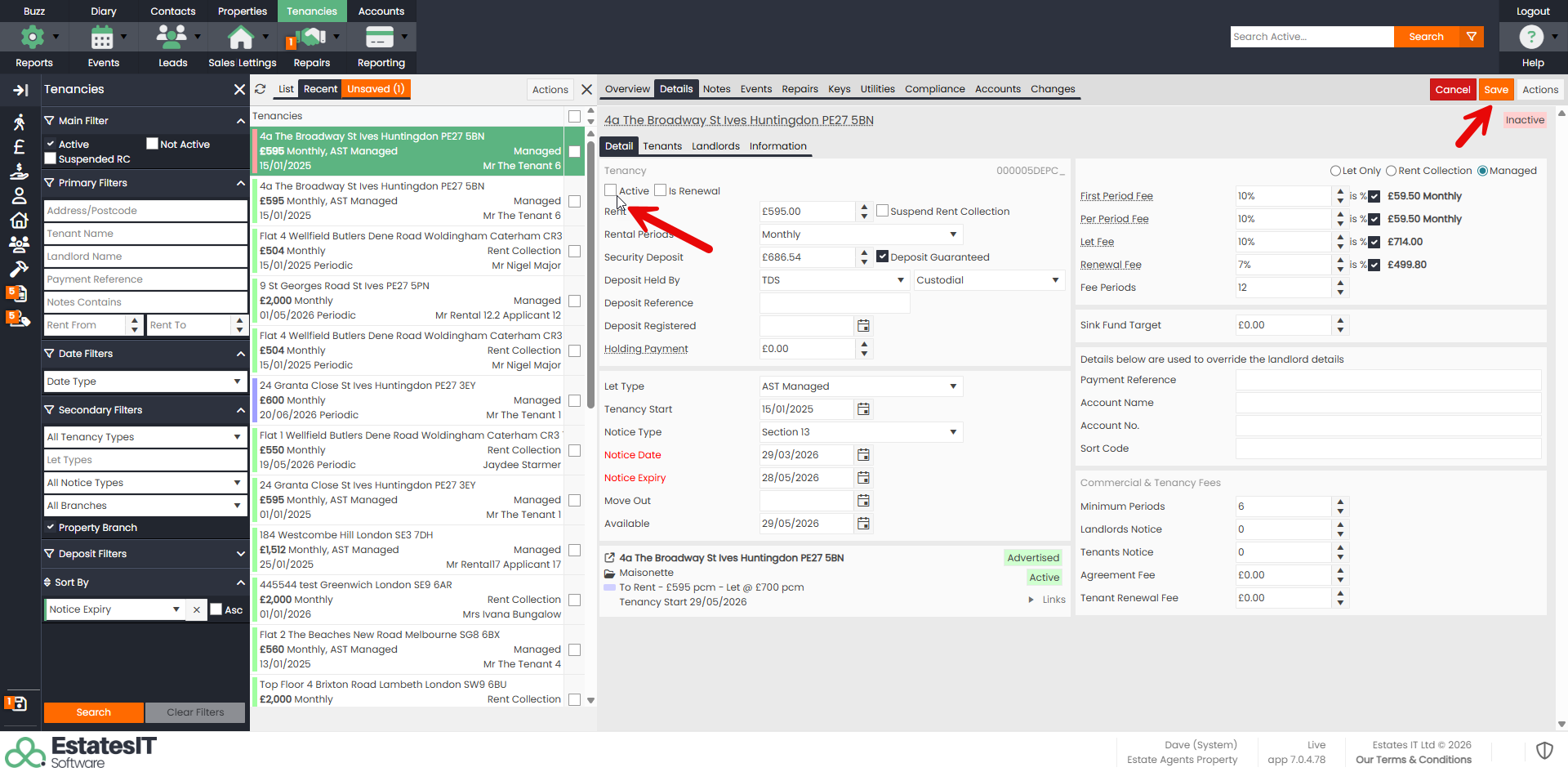
Step 6 : When you are ready, go to the old tenancy and untick the Active box & press the Save button. This will be available once you have settled the final rent on the old tenancy.